New functions and updates in the bluepos® system
bluepos® pay
SoftPOS
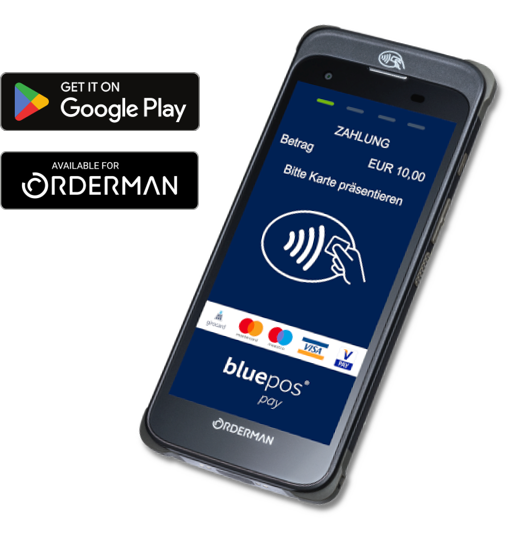
The latest updates to our bluepos® POS software, in conjunction with the current bluepos® mobile application, now allow contactless card payments and their digital equivalents to be processed on many different Android devices with NFC readers. Naturally including full acceptance of the most common credit cards in Germany such as Visa and Mastercard as well as girocard and “mobile payment” with Apple Pay / Google Pay. In addition to installation on various smartphones and tablets, the new SoftPOS payment function is also available for professional gastro handhelds such as Orderman 9 and 10. Service staff in the catering industry in particular can use the combined ordering and payment solutions even more effectively and there are no additional costs for specific payment hardware. With my.bluepos® e.bon and the tipping dialog optimally integrated into the payment process, you also receive innovative tools for the individual implementation of fully digital processes and at the same time ensure greater satisfaction among guests and staff in your business.
SoftPOS is available exclusively as part of the bluepos® pay range and complements the popular SmarPOS terminals as well as our classic payment terminals.
bluepos® 2.7
Innovations
- bluepos® pay SoftPOS with bluepos® mobile
- bluepos® order gateway – The universal interface for connecting order platforms and online stores (pilot phase)
- Enhancements to the graphical display (customer display / rear display) as web output
- Support for USB rear displays on flextouch+ hardware
- my.bluepos® Maps map services
- Improved status displays
- and much more.
Updates at a glance
Further innovations and changes
bluepos® 2.7.0
Innovations and changes
Provision display
- The range of functions of the customer display has been extended. Both the graphical and the two-line customer display can now be output as an HTML page via the bluepos® API server. This enables display in a browser. Details on configuration and setup can be found in the technical instructions for the customer display.
- The S700+ now supports displays connected via USB to show the customer display. The display requires the system package 0.4.35. Details on configuration and setup can be found in the Customer Display technical manual.
bluepos® Order Gateway
- With the implementation of the bluepos® Order Gateway, customer orders from various providers (e.g. Lieferando, foodora, UberEats, etc.) can be accepted via an interface. In addition, a new info dialog has been implemented, which can be used to display the orders received. Details on configuration and setup can be found in the bluepos® Order Gateway technical manual.
Drawers
- The “Never open drawer” option has been added to the payment methods. If this is activated, the drawer is not opened if the corresponding setting is made and the transaction is concluded with this payment method.
Print copy of receipt
- All customer and retailer receipts for the currently selected transaction can be printed in the Invoice Manager. Depending on the current view, either a copy of the invoice or a copy of the receipt.
- Reprint of receipts from all payment providers
Status display Net on/off
- The previous “Net on/off” status display in the top menu bar has been replaced by new icons that show both network availability and Internet availability.
“Voucher campaigns”
- The validity period of voucher campaigns has been extended by the unit
my.bluepos® maps
- The “my.bluepos® maps” selection is now available as a map provider. The map material is based on OpenStreetMap data and is obtained via the my.bluepos® service.
bluepos® 2.7.1
Innovations and changes
Invoice reversal/recall for third-party payments
- The invoice reversal or recall of invoices with third-party payments was previously blocked. The block has now been removed. In the event of an invoice reversal, the message “The invoice contains a third-party payment that cannot be reversed in the POS system. The payment must be canceled manually with the provider!” is displayed.
Label printing
- Label printing has been extended to include printing the date of the day. The printout can be output via the editstyle tags
or .
Advertising text financial route for DIN A4
- Additional lines have been added to P44 for the finance-channel-dependent advertising texts (per finance channel), which are used when single-sheet printers / DIN A4 are used.
TSE-TAR export
- The export module in billing mode now also offers “TSE-TAR archive (local)” and “TSE-TAR archive (external)” as export formats.
Printer
- Support for the Orderman Puls ST30 printer has been implemented. This uses a receipt roll width of 80 mm and supports connection via V24, USB and Ethernet.
Ordering system
- New buttons and widgets
- New user authorizations
- Extensions for transfer/creation of a transferred customer
- The creation of new articles has been added to the article mapping in the ordering system dialog. In addition, up to suggestions for article mapping are displayed based on the similarity in the article name
- Options for automatic invoice creation