
How do I check the status of my license file?
How do I find my serial number?
bluepos® Software
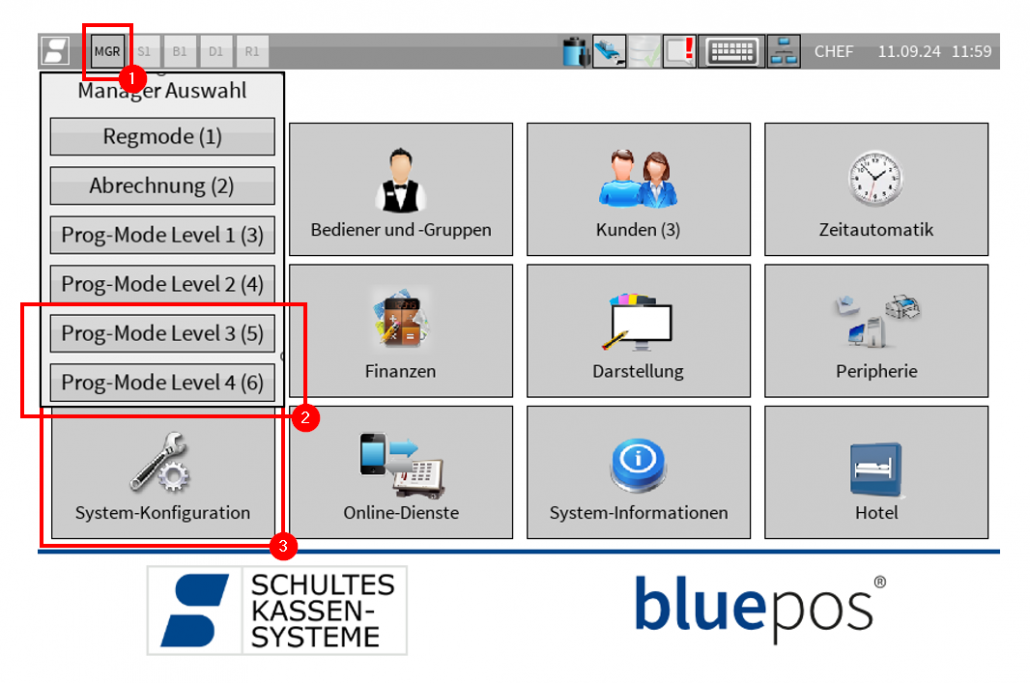
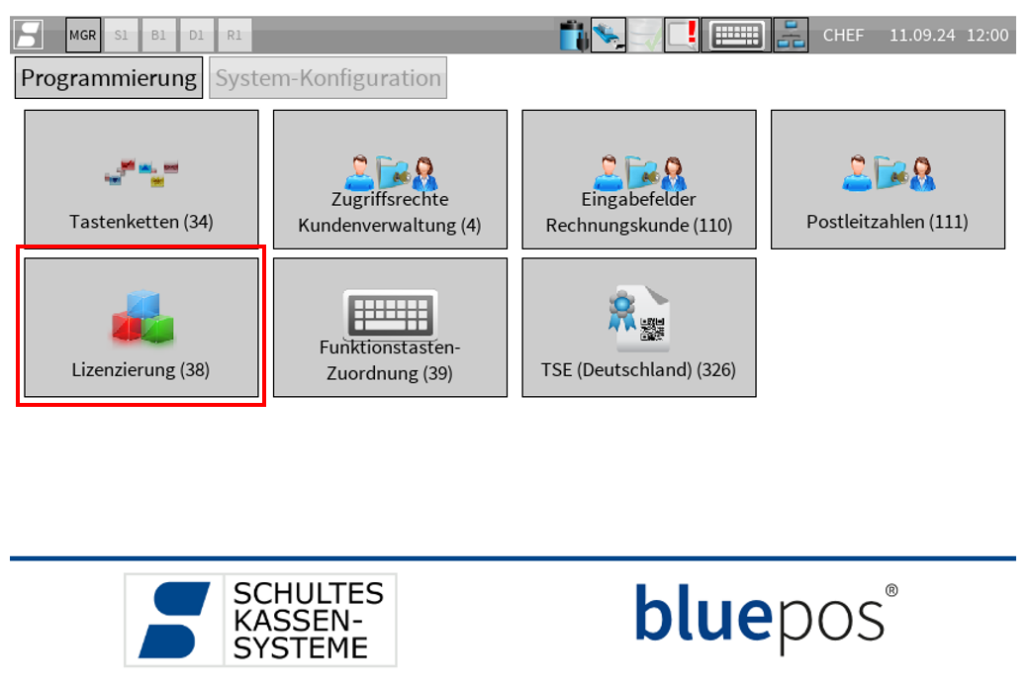
The serial number is displayed in the “Licensing (38)” program, which can be accessed as follows:
- Switch to “Prog-Mode Level 3” or “Prog-Mode Level 4” using the MGR button at the top left*
- Open the “System configuration” program
- Open the “Licensing (38)” program*
- The serial number is displayed in the “Serial no.” field.
* If you do not have the authorization to call up “Prog-Mode Level 3/4” or the program item “Licensing (38)”, please contact your specialist dealer.
bluepos® Hardware
On bluepos® hardware (USB lock, flextouch, ecotouch, modular) you will also find the serial number as a sticker on or under the device.
Related topics
Link to: Lizenz aktualisieren
How do I update my license file?
Link to: Lizenzdatei Download
How do I get my license file?