Where can I find my serial number?
How can I check the status of my license file?
You can check whether your bluepos® POS system has a current license file or whether a previous update of the license file was successful as follows:
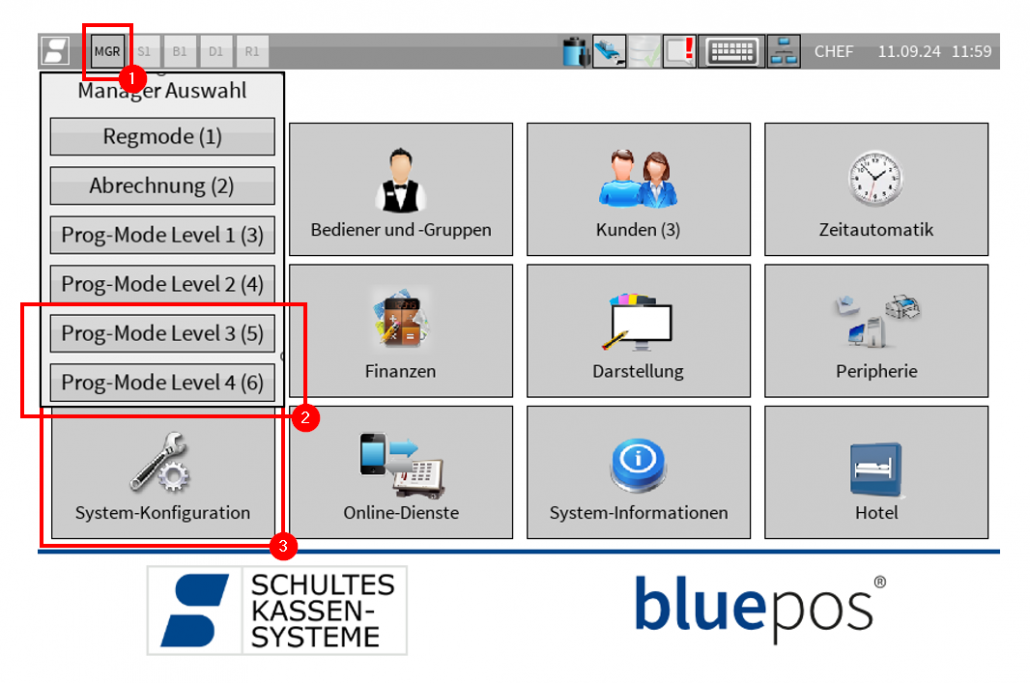
- Switch to “Prog-Mode Level 3” or “Prog-Mode Level 4” using the MGR button at the top left*
- Open the “System configuration” program
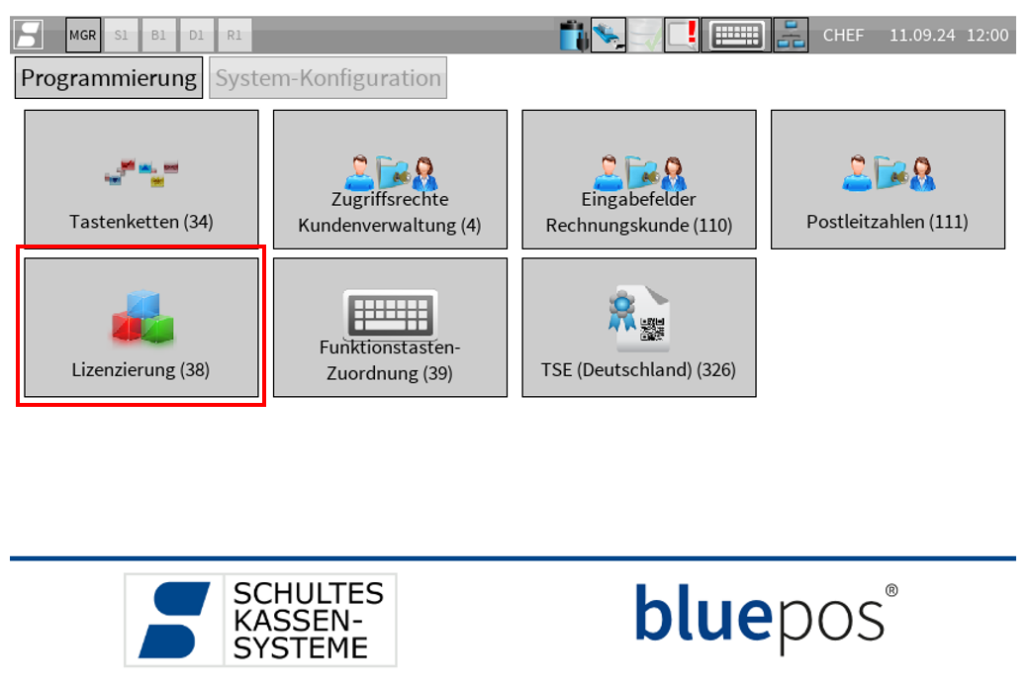
- Open the “Licensing (38)” program*
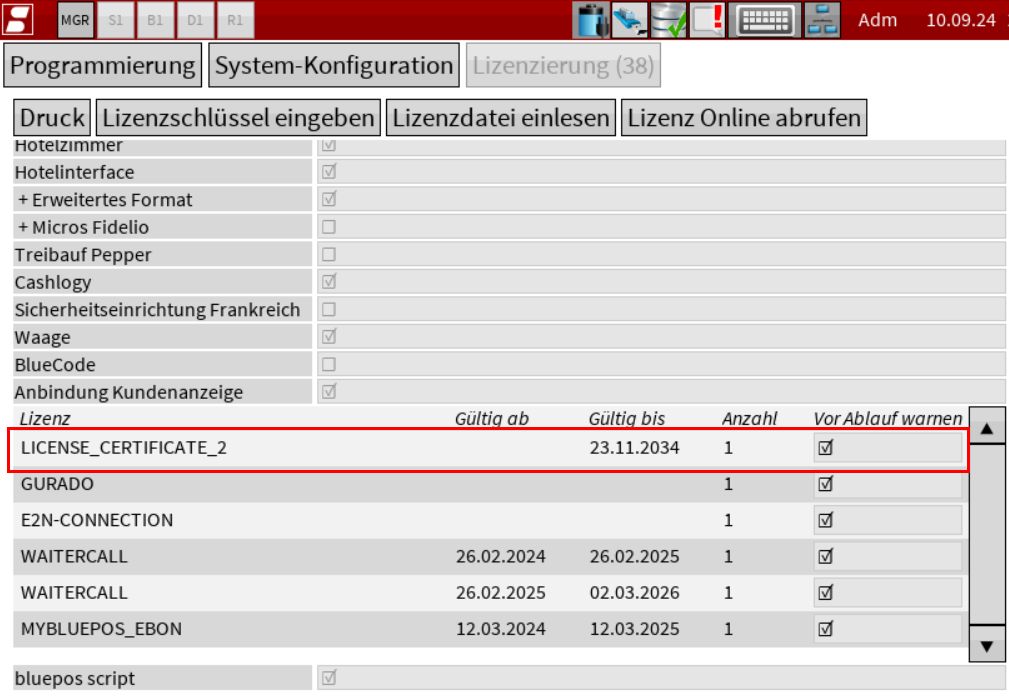
- The entry“LICENSE_CERTIFICATE_2” appears in the license list if the license file is valid.
Important note: If the entry “LICENSE_CERTIFICATE_2” is NOT present in the license list, the cash register does not have a valid license file!
If you do not have the authorization to call up “Prog-Mode Level 3/4” or the program item “Licensing (38)”, please contact your specialist dealer.
Related topics
Link to: Lizenz aktualisieren
How do I update my license file?
Link to: Lizenzdatei Download
How do I get my license file?