New functions and updates in the bluepos® system
Selfordering
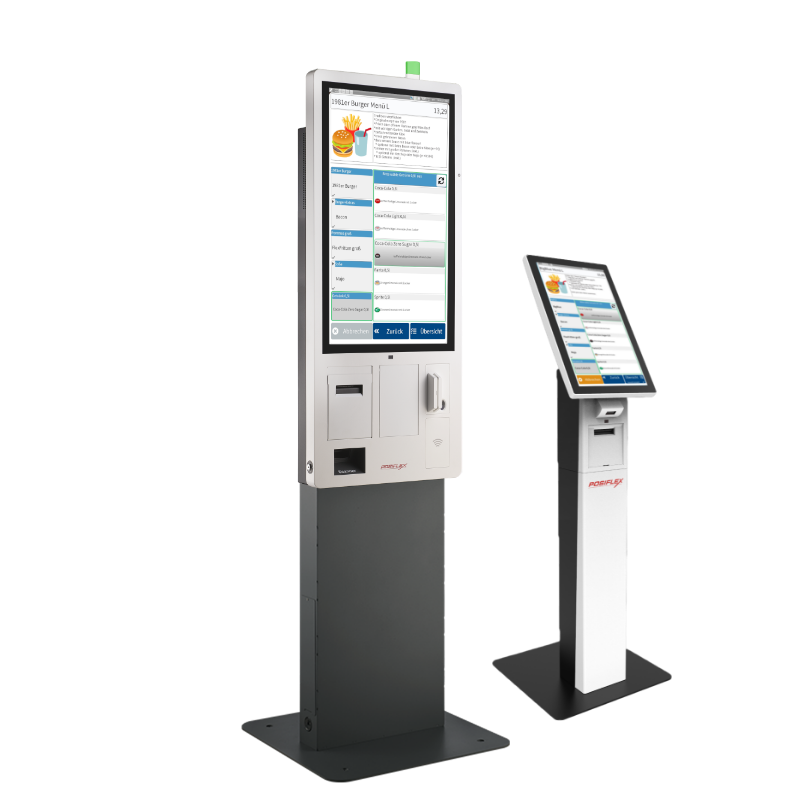
Self-service terminal, pick-up monitor and other self-service applications
With the latest update, bluepos® can now also be used as a supplementary self-service terminal or stand-alone kiosk system. The checkout software has been expanded to include numerous functions and dialogs for specific self-service applications. In addition, new swipe gestures and layout options have been introduced, which significantly expand the usage and design options in regular checkout operation, as well as on mobile devices in particular. The bluepos® kitchen display has also been supplemented with functions for providing a pick-up monitor.
my.bluepos®
New “waiter.call” module
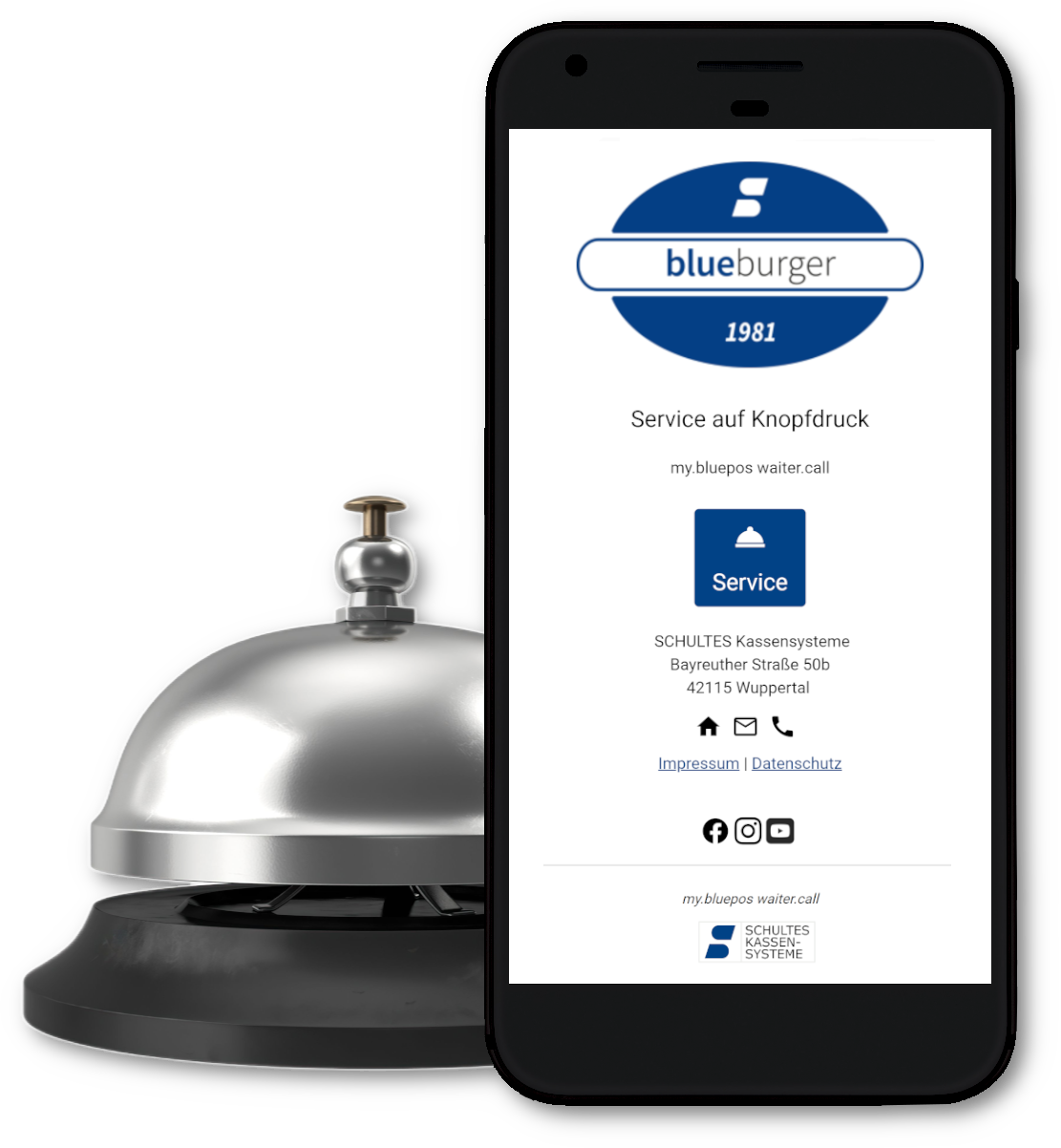
The new my.bluepos® waiter.call module adds a new, innovative cloud application to the call system solutions integrated in bluepos®. Guests can easily trigger service calls using a QR code on their own smartphone to inform staff about order requests or payment preferences. Service staff can be notified depending on the table and area at the checkout, via mobile device or smartwatch.
Updates at a glance
Further innovations and changes
bluepos® 2.5.0
Innovations and changes
Kiosk mode
- Kiosk mode has been added to the Windows installation. If the setup is run on a system with Windows 10/11 Enterprise or IoT Enterprise, an additional option for kiosk mode is available. If this is selected, the user “BlueposKiosk” is created which is available for the subsequent Windows login in kiosk mode.
- A new license has been introduced for operating the cash register in kiosk mode, which includes the following functions:
- Dialog-controlled transaction/offsetting termination
- Option for time-controlled transaction/offsetting termination
- Deactivate taskbar
- Automatic login at checkout
- Activation of network function for external database and distributed databases
Extended layout sets
- The layout sets have been extended so that independent displays per cash register can be achieved in a cash register network system. This applies to all elements that define the appearance. In particular layouts, styles and formatting texts.
TWN CKL
- New product: TWN4-CKL as the successor to the S-700 CKL. All profiles and card types of the S-700 CKL are supported. Mixed operation or seamless continued operation with existing cards is possible.
Pick-up number display in the bluepos® kitchen display
- From version 1.46, the bluepos® kitchen display contains a collection number monitor that can be called up via a browser. It also displays externally assigned collection numbers from SO’USE or app2get. Further information on setup and functionality can be found in the version information and in the bluepos® kitchen display installation manual.
Extensions Operator/groups
- Deactivate taskbar
- Notifications cash register/operator
- Customized home screen bluepos® mobile
- Operation Improvements in the insert dialog
Login dialog via button
- If an operator is logged in for whom the taskbar is deactivated or auto-login is active on the cash register, the login for another user can be called up at the touch of a button.
Automatic login at checkout
- The local option “Log in user automatically” has been added. The operator set here is automatically logged in to the cash register. If they log out, they will be logged in again immediately.
Dialog-controlled transaction/offsetting termination
- The “Cancel transaction” button has been expanded to include a dialog asking whether the transaction or offsetting displayed here should really be canceled.
Option for time-controlled transaction/offsetting termination
- The existing options in the “Automatic action after timeout if a process is not operated” block have been expanded to include the display of an inactivity dialog.
Expansion of insert system
- Instead of an insert structure, an article can now be entered in the “Standard article” field in the “Insert” tab. This behaves as if an insert structure with only one selection option (one insert in the structure) exists.
- The option “Insert structure optional” has the effect that the user is not explicitly asked for a selection in the insert dialog if minimum quantity = 0 or a standard article is specified. This option has no effect on the insert selection in the context buttons.
Article variant selection
- As of this version, it is possible to enable a selection of article variants. In terms of content, this can be done via a variant table in the article or via offsets to the article number. Operation is via the preview button. It is also possible to display a variant selection dialog. Several variant selections can be applied to one booking. For this purpose, the selections are divided into named groups. One selection is possible per group (e.g. color and size).
Replacement texts
- Placeholders can be set for the article buttons if a variant selection is available or if an insert structure is assigned.
bluepos® mobile
- The option “Do not automatically log out of bluepos mobile” has been added, which is not active by default. If the “Automatic logout” option is already set, the new option can be used to prevent logout in bluepos® mobile.
- A timestamp has been added to the message text for push notifications, which is displayed in a new line at the end of the message.
Integration Ratiotec Connect
- Ratiotec Connect integration: https://ratiotec-connect.com/smart-restaurant/#table-tracking with the following additional functions
- Table tracking: If a “Connect ID” device is assigned to a table and a pager is hung up, the table can be assigned to the order assigned to the pager. The order can be searched for using the pick-up counter in which the pager number is located and a table is then assigned
- Automatic assignment of the pager number when the pager is lifted from the stack while bluepos® displays a request for a pager number.
- Service call: A service call to bluepos® can be triggered using the buttons on a “Connect ID”.
Service call from external systems
- Improvements in the handling of notifications for service calls
my.bluepos®
- Improvements to the information on uploads of e.bons
- When establishing a new connection via the “Connect” button in P90, the cancel button is only displayed with a delay of 5 seconds if the connection process makes no progress in this time.
SO’USE
- In article programming P50, it is now possible to block articles for transfer to SO’USE. For this purpose, the new option “No online services” has been implemented in the “Block” tab. If this is selected, no transfer to SO’USE takes place.
Gurado
- Graduated prices are now also supported, which can be stored in the voucher configuration at Gurado. Previously, only the configuration with a fixed value or as a value range was supported. From now on, the entry of several fixed values, which are separated by a “;” in the voucher configuration in Gurado, is also supported. A mixture of a value range and several fixed values is not supported
Swipe gestures for scrolling in lists
- You can now scroll through lists using a swipe gesture
- Available on POS systems with Windows and S-700 flextouch+ with glass touch
- Available in all lists, in context tables and optionally in assignment tables
- The previous behavior can be set via the debug option “Disable swipe gestures for scrolling”
- The scroll bars in list displays have been adjusted accordingly
Graphic design of the offsetting window
- New editstyle tag for designing the offsetting window. In this field, article lines can be designed using the text formatting options. Content can be inserted using the placeholders.
bluepos® 2.5.1
Innovations and changes
Printer support
- Support for the “Rongta RP326” printer
- Support for the “Partner RP-700” and “Partner RP-330-L” printers
- Support for the “Star TSP700II (TSP743II)” printer
SO’USE
- Collection numbers assigned by bluepos® are now transferred to SO’USE. If the SO’USE order number is already used as the collection number, there is no new transfer to SO’USE.
- Free inserts are now also transferred to SO’USE. These are uploaded as “Tenders” during the master data export. The tenders in SO’USE orders are booked as free inserts and not as independent articles.
- All valid price levels per item are now transmitted to SO’USE. This enables the use of different prices for SO’USE, which can be set in the back office there.
- SO’USE now supports time-controlled price level switching (weekly plan)
- Items with a pager number query activated for bluepos® are no longer transferred as they cannot be booked via SO’USE. When exporting articles to SO’USE, there is now a corresponding log entry in bluepos®.
Assignment lists
- A separate entry has been implemented in the list to define the options for the text group. This consists of the name of the group and the addition “- General options”. The settings made there apply to all entries within this group. In addition, the previous Txt icon has been replaced by a new button which contains the respective name of the selected group.
- The previous Txt icon has also been replaced by a new button which contains the name of the selected group.
ClearOne
- The following changes have been made for the ClearOne connection:
- The order of the options is now retained when the config file is saved.
- The amount and currency are now printed on the vouchers.
- The amount is now converted from cents to euros and displayed with 2 decimal places.
- Support for sandbox access has been implemented.
Input limitations
- The amount entry for deposits/expenses and income/expenses has been limited to 99,999.99 in order to avoid errors in the taxonomy.
Display of open customer balances for chip card
- The open receivables and open balances for a chip card can be displayed. The chip card for customer identification can be read via the CKL, an HID reader or NFC.
Scrolling
- Settings for horizontal and page-by-page scrolling have been added to the properties for assignment and context tables in the layout editor. The following new options are available when “Swipe gestures for scrolling” are activated:
- Deactivated (default for assignment tables): No scrolling, as in bluepos < 2.5.0.
- Standard (standard for context tables): Pixel-by-pixel scrolling, perpendicular to the selected fill direction of the buttons.
- Page by page horizontally (scroll left/right): Swipe right/left to scroll page by page. The buttons therefore remain in fixed positions.
- Vertical page by page (scroll up/down): Swipe up/down to scroll page by page. The buttons therefore remain in fixed positions.
Scrollbar properties in styles
- Implementation of various options to change the appearance and behavior of scrollbars:
CustomerApi
- Open balances and receivables can now be output
ReportsApi
- The complete bluepos version is now displayed, as it is also stored in the checkout status.